
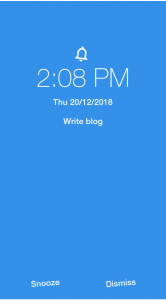
Cyblance has built a mobile app for notifying to do activities like which are added by the customer for current and upcoming days, instead of writing on a paper and reading, adding tasks on the app is very easy and it has the flexibility of saving activities as notifications or alarm for tasks if the customer does not turn off the alarm, it will go to snooze and notify again after 5-10 min.
The app will contain the following Key functionalities
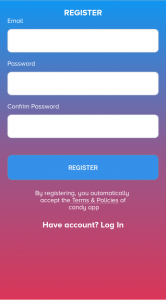
Simple registration
The customer can register in the mobile app by entering email id as a username and password.
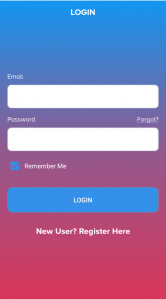
Login
On successful registration, the customer can log in to his/her account by entering email id as a username and password.
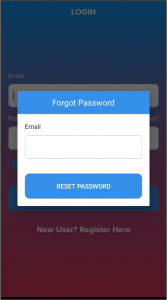
Forgot Password
In the case of, the customer couldn’t able to remember his/her password, selection of “Forgot ?” link text will open a popup to confirm the email to receive a reset link.
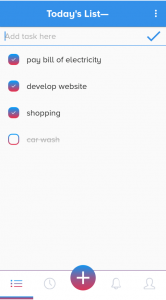
Today’s Tasks
After successful login, customer navigated to current date list, in case there are no tasks, the customer can add it by typing in the“Textbar”and selection of “Tick”will save the task for the day.
For more, the customer can add time and date for the task by selecting the specific task and can save as a notification or alarm.
Upcoming Tasks
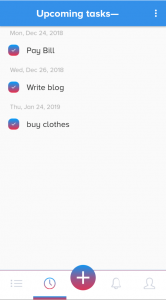
Customer selection of “Timer” icon will open the upcoming tasks and can add upcoming tasks by selecting “+” icon.
Selection of one will open its page, where the customer can change the time, date and priority of the task.
Alerts & Updates
Clicking on the “Bell” Icon will open the alerts and updates
Profile Settings
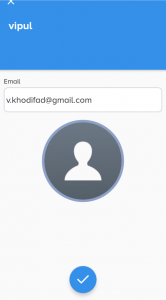
In the profile settings, the customer can view, edit the following details
- Name
- Email Id
- Profile Pic
- Notification settings
- Sync Wear connects the app with the smartwatch
We at Cyblance have experience in building fitness & Activity tracking apps and can provide you with the best development team, QA engineers, and project managers to make your application successful & unique on the market.