


Every Shelf, Every Store: Building a Multi-Location Inventory System That Does the Counting for You
A growing multi-store business was tracking stock across several areas with spreadsheets, phone calls and a lot of patience. We built them one inventory system that knows every area, every store and every shelf, gives each person exactly the view they need, and quietly does the maths their staff used to do by hand.
Chapter 1: The Starting Point
The client’s business grew the way every owner hopes: one outlet became 18, spread across four areas. Every store kept its own records in its own way, and between a supplier invoice and a Friday stocktake, the numbers drifted. Stock variance, the gap between recorded and physically counted stock, averaged about 8%.
The head office learned about shortages when a store ran out. Working out usage and cost meant collecting sheets from all 18 locations and calculating by hand, which took the team about two days every week. Store teams spent roughly five hours a week each on counting and recalculating instead of serving customers.
The challenges, in short:
- No single view. Stock lived in 18 separate files.
- A structure the tools didn’t understand. The business ran on areas and stores; the process didn’t.
- Too much manual work. Counts and calculations a system could do in seconds.
- Late signals. Low stock was spotted at the shelf, not before.
Chapter 2: The Vision (Management Without the Busywork)
The brief had two halves. The first was control: a system that mirrors how the business runs, with areas, stores within each area, and the right people looking after each. The second was relief: nothing we built could become one more chore for store teams.
The wish list:
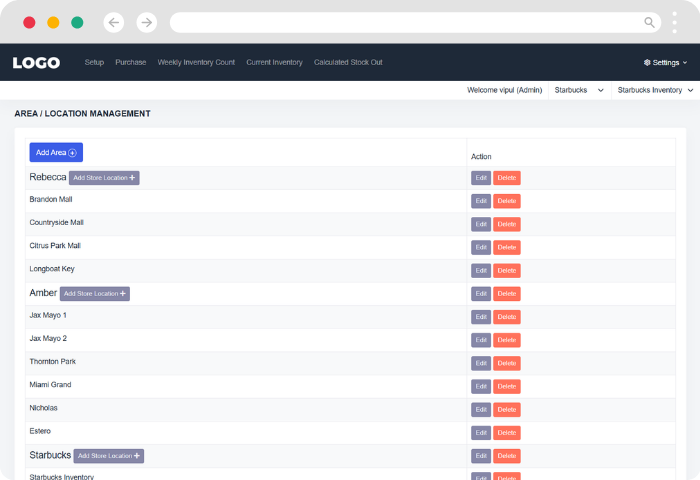
- Areas and stores, organised the way the business is. Create areas, place stores inside them, and see everything from the top.
- The right access for the right person. An owner who sees it all, managers who see their patch, and staff who see their own store.
- Simple stock in, stock out. Record what arrives and what leaves, and let the system work out the rest.
- Fast product and invoice entry. No re-typing product details on every delivery.
Or, as we summed it up internally: less counting, more running the business.
Chapter 3: How We Approached It
Inventory software has a habit of becoming complicated fast. Our job was to keep it powerful underneath and simple on the surface.
- Wireframes before code. We started by sketching every screen and walking the client through them. It is far cheaper to move a box on a wireframe than to rebuild a finished page, and it meant the client could see their business on screen before a single line of production code was written. The client signed off the wireframes after two review rounds in week two.
- Design around the people, not the database. We mapped who does what in a typical week: who adds products, who records deliveries, who counts the shelves and who signs it all off. Each screen was then shaped around that person’s job.
- Let the system do the arithmetic. Anywhere staff were adding, subtracting or multiplying by hand, we asked one question: why is a person doing this? The answer usually became a feature.
- Build the structure first. Areas, stores and roles are the backbone of everything else, so we got that foundation right before layering inventory features on top.
- Built to extend. Every record carries its area and store, and permissions are enforced at the data layer rather than per screen. That’s why bulk import, accounting sync and notifications can be added later without restructuring.
A team of five delivered the project in two months, with a client review at the end of every two-week sprint.
Chapter 4: What We Built
The family tree: areas, stores and people
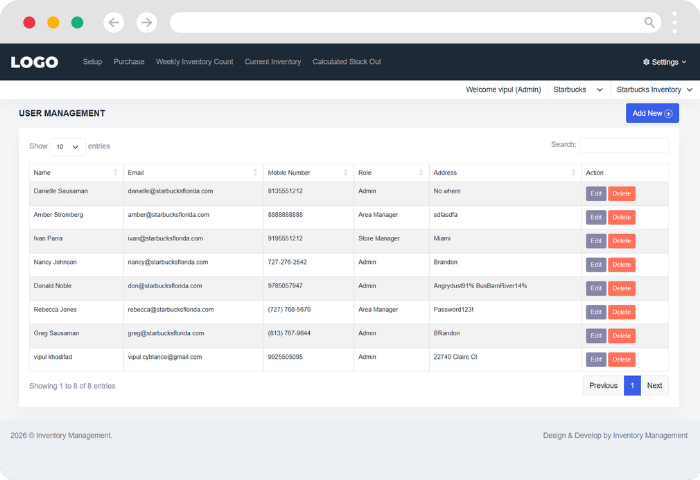
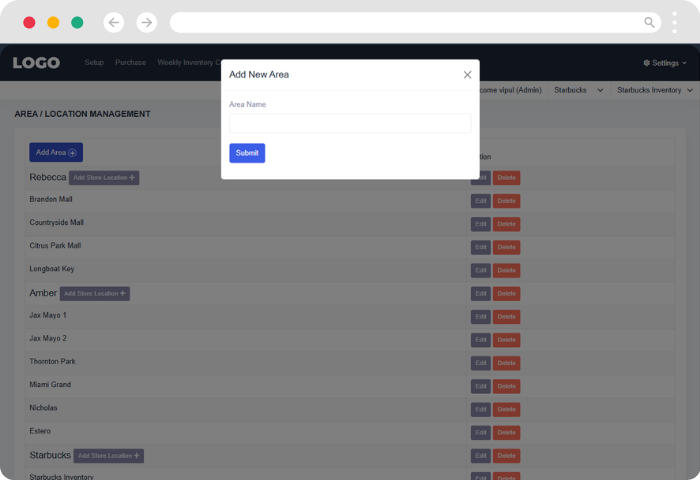
The system is organised exactly like the business. The owner creates areas, places stores within each area, and adds the team. Every person is then given a role, and that role decides what they can see and do.
- Super Admin sees everything: every area, every store, every report and every setting.
- Area Manager looks after all the stores in their assigned area, and nothing outside it.
- Store Staff work within their own store only, with a clean, focused view.
- Accountant sees a finance view only: purchase invoices, stock valuation and cost of usage by store and period, exportable to Excel/CSV.
On sign-in, each person picks the area and store they are working on from the choices their role allows. No one stumbles into a store that is not theirs, and no one has to ask head office for numbers they are entitled to see.
Setting up the shelves
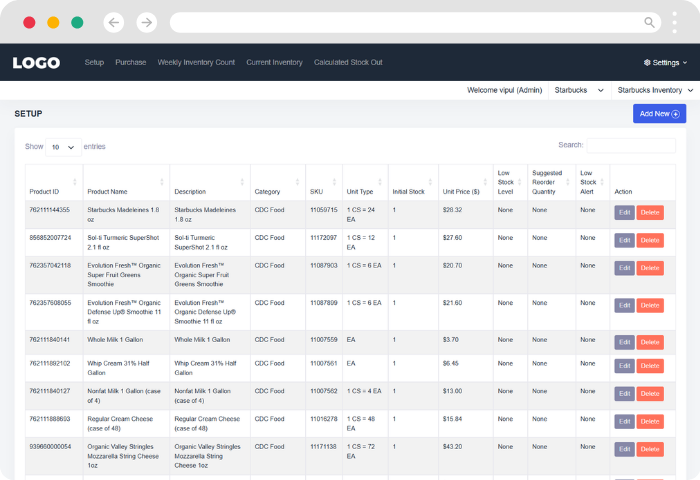
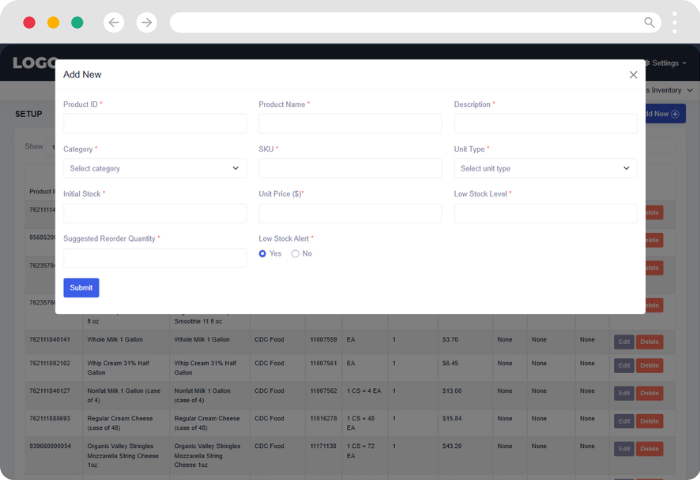
Every product gets a simple profile: a name, a category, a code, its unit, its starting stock and its price. Two small fields do a lot of heavy lifting: a low-stock level and a suggested reorder quantity with Price history as price could be varied during stock leveling. Set them once, and the system flags any product below its low-stock level on the dashboard and suggests how much to reorder.
Recording what comes in
When a delivery arrives, staff enter the supplier invoice once. Pick the supplier, type a product code and the name fills itself in. Several products can sit under a single invoice, just as they do on paper, so the record matches reality without double entry.
The weekly count, reimagined
This is where the client’s staff got the most time back. Instead of a full recount and a page of sums, staff simply enter what is left on the shelf at the end of the week and send it for approval.
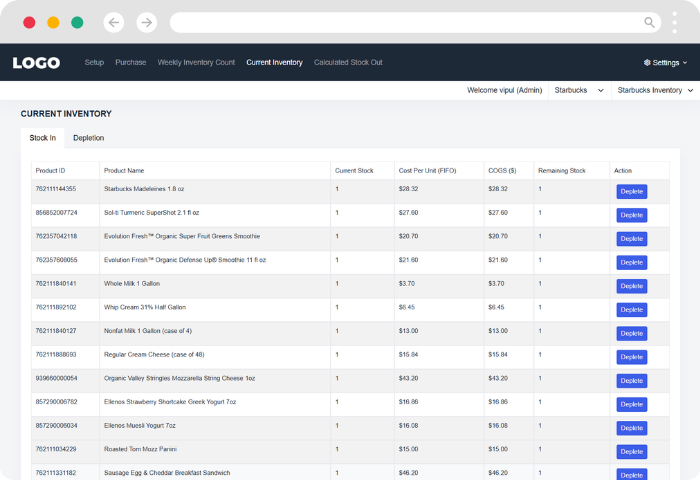
From there, the system takes over. It works out what was used, what it cost and what remains, then rolls the numbers forward into the next week. Managers review submissions in one place and can approve them in bulk or one by one. Staff can always see where each count stands: waiting, approved or sent back.
When stock leaves for other reasons
Not all stock is used in the normal course of business. Damaged or unusable stock can be written off in a couple of clicks, and the system values it the way the business prefers: by the most recent purchase price, the oldest one, or the average. A clear history of every write-off keeps the books honest.
The big picture
A single view brings opening stock, purchases, usage and write-offs together, so anyone with the right access can see what moved and what it cost. For the owner, that view finally spans all 18 stores at once.
Chapter 5: What Changed
The client went from chasing numbers across locations to having them waiting each morning, organised the way the business runs.
| Before | After |
|---|---|
| 18 separate stock files | One system across 4 areas and 18 stores |
| ~5 hrs per store per week on counting | ~1.5 hrs, saving ~3.5 hrs per store per week (about 63 hrs a week across 18 stores) |
| ~2 days a week compiling figures at head office | Consolidated report in under 10 minutes |
| Stock variance ~8% | Under 2% within the first quarter of use |
| Everyone seeing everything, or nothing | Role-based access for owner, area managers, staff and accountants |
| Supplier invoices copied by hand | Entered once, product details auto-filled |
| Shortages found on an empty shelf | Low-stock flags and reorder suggestions on the dashboard |
| Write-offs lost in the shuffle | Damaged stock recorded and valued, with full history |
The biggest change wasn’t on a screen. Store teams spend less of their week on paperwork, managers approve rather than recalculate, and the owner makes decisions from one trusted set of numbers instead of a pile of spreadsheets.
“We used to wait until Monday afternoon to know where we stood. Now it’s there on Monday morning.”
Operations Head, multi-outlet food service operator
Chapter 6: What’s Next
The foundation is in place and built to grow. Each item below builds on the same structure of areas, stores and roles.
- Bulk inventory upload. Bring in hundreds of products from a single spreadsheet, ideal for opening a new store or launching a new product range.
- Accounting integrations. Connect to QuickBooks or other financial tools, so purchases, stock values and cost of goods flow straight into the books without re-keying.
- SMS and email notifications. Low-stock alerts, pending approvals and weekly summaries delivered to the right person’s phone or inbox, so nothing waits for someone to log in.
The Final Count
This project began with a simple request: manage stock across many stores without burying the people who run them in paperwork. It ended with a system that mirrors the business, from the owner’s view of every area down to a single store’s shelf. The secret was asking, at every screen, whether a person really needed to do this by hand. Usually the answer was no.
Running inventory across more than one location? Book a 30-minute walkthrough of the system, or ask for a wireframe of your own area-and-store structure. Whether you manage three stores or thirty, we’ll show you what it could look like.